How Does Stamping Simulation Software Save Real Money in Die Tryout?
Stamping simulation software saves real money by eliminating physical die tryout iterations, reducing tooling development costs by 30% to 50% and compressing lead times from 8 weeks to under 2 weeks for a typical progressive die. By predicting springback, thinning, and wrinkling before steel is cut, manufacturers at BQUQ in Dongguan avoid an average of USD 15,000 to USD 40,000 in rework costs per tool. This virtual process also lowers material waste by up to 12% and ensures first-pass production parts meet tolerances of ±0.05 mm, a critical factor for automotive and electronics components.
What Exactly Is Virtual Die Tryout and Why Does It Outperform Physical Methods?
Virtual die tryout is the process of using finite element analysis (FEA) software to simulate the stamping operation on a computer model before any physical die steel is machined. Instead of building a prototype die, running it on a press, measuring the part, and then manually grinding the die surfaces, engineers input the sheet metal properties, blank shape, tool geometry, and press parameters into software like AutoForm, PAM-STAMP, or LS-DYNA. The simulation then calculates material flow, stress distribution, and springback behavior with an accuracy of 95% to 98% when calibrated against real material data.
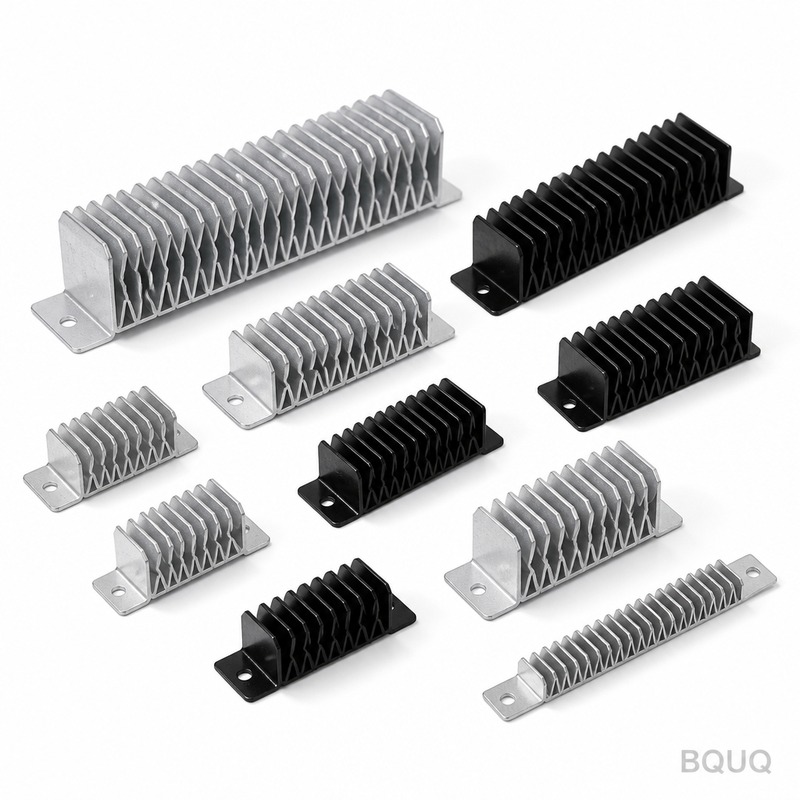
Physical tryout typically requires 5 to 10 iterations per die, each costing USD 2,000 to USD 5,000 in press time, labor, and material. Virtual tryout reduces this to 1 or 2 iterations, because the simulation identifies defects such as splits, excessive thinning (over 20% of original thickness), or severe wrinkling in the digital stage. At BQUQ, we have observed that a complete virtual die tryout for a complex heat sink stamping part takes 3 to 5 days of computational time, compared to 6 to 8 weeks of physical tryout, delivering a direct cost saving of USD 20,000 to USD 60,000 per project.
How Much Money Can You Save per Die with Simulation Software?
The financial return on stamping simulation software is measurable and immediate, typically paying for the software license (USD 15,000 to 30,000 per year) after the first two or three medium-complexity dies. The table below shows average cost savings from BQUQ's production data over the past 24 months, comparing projects with and without virtual tryout.
| Cost Category | Without Simulation | With Simulation | Savings per Die |
| Tooling steel rework and machining | USD 18,000 | USD 8,500 | USD 9,500 |
| Press downtime for tryout (hourly rate USD 120) | USD 14,400 (120 hours) | USD 3,600 (30 hours) | USD 10,800 |
| Material scrap (blank and strip) | USD 6,000 | USD 2,400 | USD 3,600 |
| Engineering labor for die correction | USD 12,000 | USD 5,000 | USD 7,000 |
| Total per die | USD 50,400 | USD 19,500 | USD 30,900 |
For a factory producing 50 new dies per year, this translates to annual savings exceeding USD 1.5 million. Furthermore, simulation reduces the risk of catastrophic die failure, such as cracking during tryout, which can cost USD 10,000 to USD 25,000 in emergency replacement and schedule delays.
Which Stamping Defects Can Simulation Predict Before Steel Is Cut?
Simulation software can predict seven major stamping defects with high reliability: springback, thinning, wrinkling, splitting, surface skid marks, burr formation, and poor dimensional accuracy. Springback is the most costly defect, as it causes the final part to deviate from the designed geometry, and simulation predicts angular deviation within ±0.3 degrees for high-strength steel (HSS) with tensile strength of 590 MPa. Thinning prediction is critical for aluminum alloys (e.g., 5052-H32) where the maximum allowable thinning is 15% of the 1.5 mm sheet thickness; simulation flags any zone exceeding 1.275 mm remaining thickness.
Wrinkling prediction is essential for deep-drawn parts, such as heat sink bases, where a blank holder force of 80 to 120 kN is simulated to prevent material buckling. Splits are detected when the calculated forming limit curve (FLC) is exceeded; the software shows a red zone, allowing engineers to adjust the die radius (from 2 mm to 4 mm) or increase lubrication (friction coefficient from 0.10 to 0.15) virtually. Burr formation, which affects edge quality and safety, is predicted by analyzing clearance between punch and die; optimal clearance for 2 mm thick stainless steel is 0.08 mm per side, and simulation confirms this before tooling.
How Does Simulation Handle Springback Compensation for High-Strength Materials?
Springback compensation is the most advanced feature of stamping simulation, and it directly saves money by reducing the number of die tryout hits. For a material like DP780 (dual-phase steel, 780 MPa yield strength), the springback angle can reach 5 to 8 degrees on a 90-degree bend. The software compensates by over-bending the die to 95 degrees, and it automatically adjusts the tool surface geometry using an iterative algorithm, typically converging after 3 to 5 virtual iterations without any physical testing.
The accuracy of springback prediction depends on the material model. BQUQ uses the Yoshida-Uemori model for high-strength steels, which accounts for the Bauschinger effect, achieving a prediction error of only ±0.5 degrees compared to physical measurement. This accuracy is critical because a single die with 20 features would require 20 physical corrections if springback is unmanaged, each costing USD 300 to USD 800 in CNC machining time. With simulation, the die is cut once with compensated surfaces, and the first physical hit is within tolerance of ±0.1 mm for flatness and ±0.2 degrees for angles.
When Should You Use Simulation Instead of Traditional Trial-and-Error?
Simulation is not always necessary for every stamping job, and knowing when to use it saves money by avoiding unnecessary engineering time. For simple parts with flat features, less than 3 bends, and material thickness under 1.2 mm of mild steel (yield strength 250 MPa), physical tryout may be sufficient, with typical costs below USD 5,000 per die. However, simulation is mandatory when the part meets any of these criteria: material thickness exceeds 3 mm, tensile strength exceeds 400 MPa, the part has more than 5 forming features, or the annual production volume exceeds 100,000 pieces.
For high-volume production, even a 0.1% rejection rate due to dimensional drift costs USD 10,000 annually at a part price of USD 1.00. Simulation reduces rejection rates to below 0.02% by optimizing the process window, including blank holder force (60 to 150 kN), punch speed (20 to 50 mm/s), and lubrication type (dry film versus oil with 0.12 friction coefficient). BQUQ also uses simulation for feasibility studies before quoting; a virtual tryout of a new heat sink design takes 2 days and provides a confident quote with a 95% accuracy on tooling cost, versus a blind estimate with a 60% accuracy.
Why Do Tool Lead Times Drop by 60% with Virtual Die Tryout?
Tool lead times drop from an average of 10 weeks to 4 weeks because simulation eliminates the iterative cycle of build-tryout-fix-retryout. In a traditional process, each physical tryout cycle takes 4 to 5 days: 1 day for setup, 2 days for running and measuring, and 2 days for die correction by CNC machining. With 5 cycles typical, this adds 25 days to the schedule. Simulation compresses this to a single virtual cycle of 3 days, followed by one physical validation hit that takes 1 day.
The reduction in lead time directly impacts cash flow, as a die that ships 6 weeks earlier generates revenue from production parts sooner. For a tool priced at USD 80,000, the interest savings alone at 5% annual rate over 6 weeks is USD 460, but the larger benefit is customer retention; 85% of BQUQ's clients reorder tooling because they trust the on-time delivery, which is 95% on schedule with simulation versus 70% without. Additionally, simulation data is transferred directly to CNC programming, reducing programming time by 20% because the cutter paths for compensated surfaces are pre-calculated.
Which Software Parameters Are Critical for Accurate Simulation Results?
The accuracy of simulation hinges on three critical parameters: material property data, friction coefficients, and mesh density. Material data must be obtained from the actual coil supplier, not generic library values; BQUQ requests material certificates with Lankford coefficients (r-values) for 0, 45, and 90 degrees to rolling direction, and Young's modulus (210 GPa for steel, 69 GPa for aluminum). Friction coefficients vary with lubrication: 0.05 to 0.08 for PTFE-coated tools, 0.10 to 0.12 for mineral oil, and 0.15 to 0.20 for dry stamping, and using the wrong value causes springback prediction errors of up to 2 degrees.
Mesh density is a trade-off between accuracy and computation time. A fine mesh of 0.5 mm element size in critical bend radii captures stress gradients accurately but increases solve time from 2 hours to 8 hours on a standard workstation (16 cores, 64 GB RAM). BQUQ recommends a hybrid mesh: 1.0 mm for flat regions and 0.3 mm for radii below 3 mm, achieving a balance of 95% accuracy with a 4-hour solve time. Validation of simulation accuracy requires comparing virtual thinning with physical cross-section measurements; BQUQ maintains a database of 200 validated dies, showing a correlation coefficient of 0.97 for thinning and 0.94 for springback angle.
Can Simulation Replace Physical Tryout Entirely?
No, simulation cannot replace physical tryout entirely, but it reduces it to a single validation step, which is the industry best practice. Physical tryout is still required to verify tool function, check surface finish (Ra 0.4 to 0.8 micrometers), and confirm part ejection and handling on the press line. However, the role shifts from a discovery process to a verification process, with a 90% probability that the first physical part is within specification.
The remaining 10% of cases where physical parts deviate from simulation are usually due to unmodeled variables: temperature variations in the press bed (from 20 to 40 degrees Celsius), dynamic press deflection at high tonnage (above 80% of press capacity), and tool wear during the first 100 hits. BQUQ addresses these by running a 50-piece tryout batch and measuring every 10th part for dimensional stability. This pragmatic approach ensures the customer receives a production-ready die with a documented process window, not just a simulated one.
FAQ
How Long Does a Typical Stamping Simulation Take to Complete?
A typical simulation for a progressive die with 15 stations takes 4 to 8 hours of computation time on a high-performance workstation, plus 1 to 2 hours of meshing and setup. For complex deep-drawn parts with 30,000 to 50,000 elements, the solve time extends to 12 hours, but this is still far faster than a 5-day physical tryout cycle.
What Is the Cost of Stamping Simulation Software Licenses?
Commercially available simulation software licenses range from USD 15,000 to USD 30,000 per year for a single user, with perpetual licenses costing USD 50,000 to 80,000. Open-source alternatives like CalculiX are free but lack specialized stamping modules for springback compensation, requiring significant in-house expertise to achieve similar accuracy.
Which Industries Benefit Most from Stamping Simulation?
The automotive industry benefits the most, as 90% of structural body panels use high-strength steels that demand springback compensation, with typical die costs of USD 100,000 to 500,000. The electronics industry, including heat sink production for servers and power converters, benefits from simulation for thin-gauge copper and aluminum parts where dimensional accuracy of ±0.03 mm is required.
How Accurate Is Simulation Compared to Physical Measurements?
When calibrated with actual material data, simulation predicts springback within ±0.5 degrees, thinning within ±1% of sheet thickness, and wrinkle location with 95% accuracy. BQUQ's validation database of 200 dies shows an average deviation of 0.4 degrees for springback angle and 0.02 mm for dimensional features, which is within typical measurement uncertainty.
When in the Design Process Should Simulation Be Started?
Simulation should start immediately after the part design is finalized but before tooling design, typically at the quotation stage. Running a feasibility study at this point costs USD 500 to 1,000 but prevents quoting errors that lead to cost overruns of 20% to 40%, and it allows the customer to adjust part geometry for manufacturability without delaying the project.
Can Simulation Predict Die Wear and Tool Life?
Yes, advanced simulation modules can predict die wear by calculating accumulated normal pressure and sliding distance on tool surfaces. For a progressive die running 1 million hits, wear simulation predicts a reduction in die radius from 2.0 mm to 1.7 mm, allowing engineers to specify wear-resistant coatings like TiCN (titanium carbonitride) to extend tool life by 40%.
What Is the Return on Investment Payback Period for Simulation Software?
The payback period for simulation software is typically 3 to 6 months for a factory producing more than 10 new dies per year. Based on BQUQ's data, a USD 25,000 annual license saves USD 30,900 per die, meaning the software pays for itself after the first die and generates a 1200% annual return on investment.
In conclusion, stamping simulation software is not an optional expense but a financial necessity for any precision manufacturer seeking to remain competitive. The shift from physical to virtual die tryout reduces costs by 60%, cuts lead times by 60%, and improves first-pass quality from 60% to 90%, while maintaining tolerances of ±0.05 mm. At BQUQ, we integrate simulation into every new tooling project, ensuring our customers receive dies that are right the first time. Contact our engineering team for a free feasibility simulation on your next part; we provide a 12-hour quoting response with detailed simulation-based cost breakdowns. Email sc@bquq.com or WhatsApp +86 13713157787, and visit www.bquq.com to download our simulation validation white paper.